 AntTake
Free for 7 days Every feature unlocked
Camera Report
for professional film crews.
AntTake logs rolls and takes for every camera on your production, then turns them into PDF and CSV camera reports. Built by a DIT with 10+ years on set.
Made for Professional film crews. focused on accuracy and ease of use
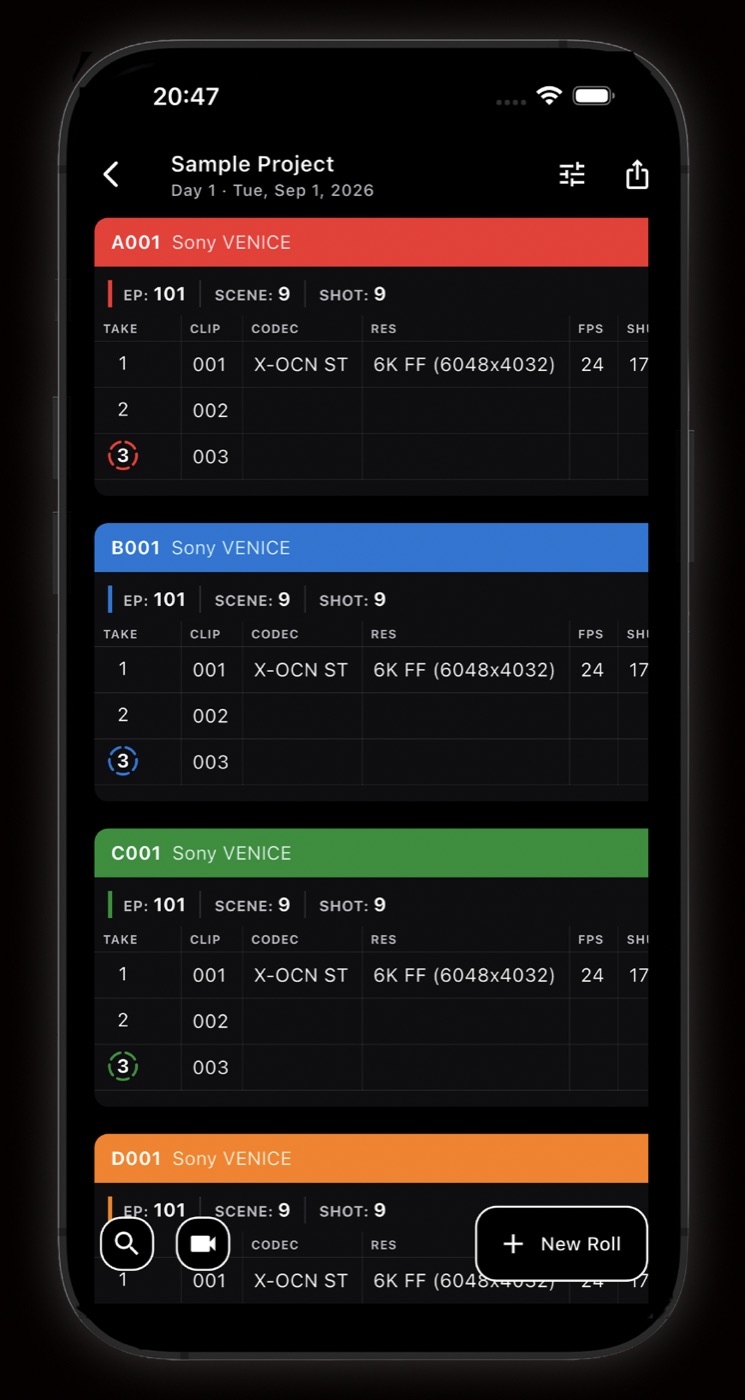
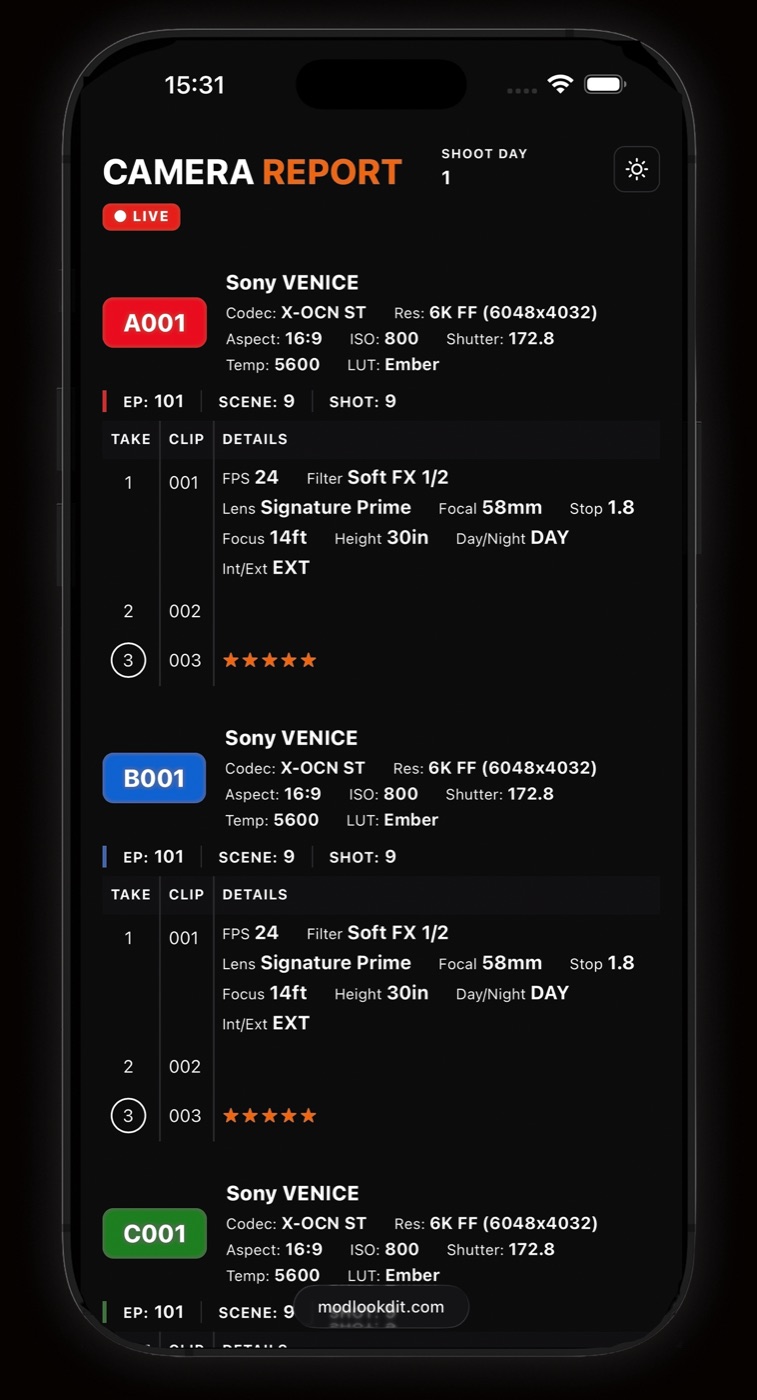
- Every roll on one sheet, color-coded by camera
- Tap any cell to jump straight to that field
- Switch shoot days and search every roll and take
Full access free for 7 days. Works offline. No account required.
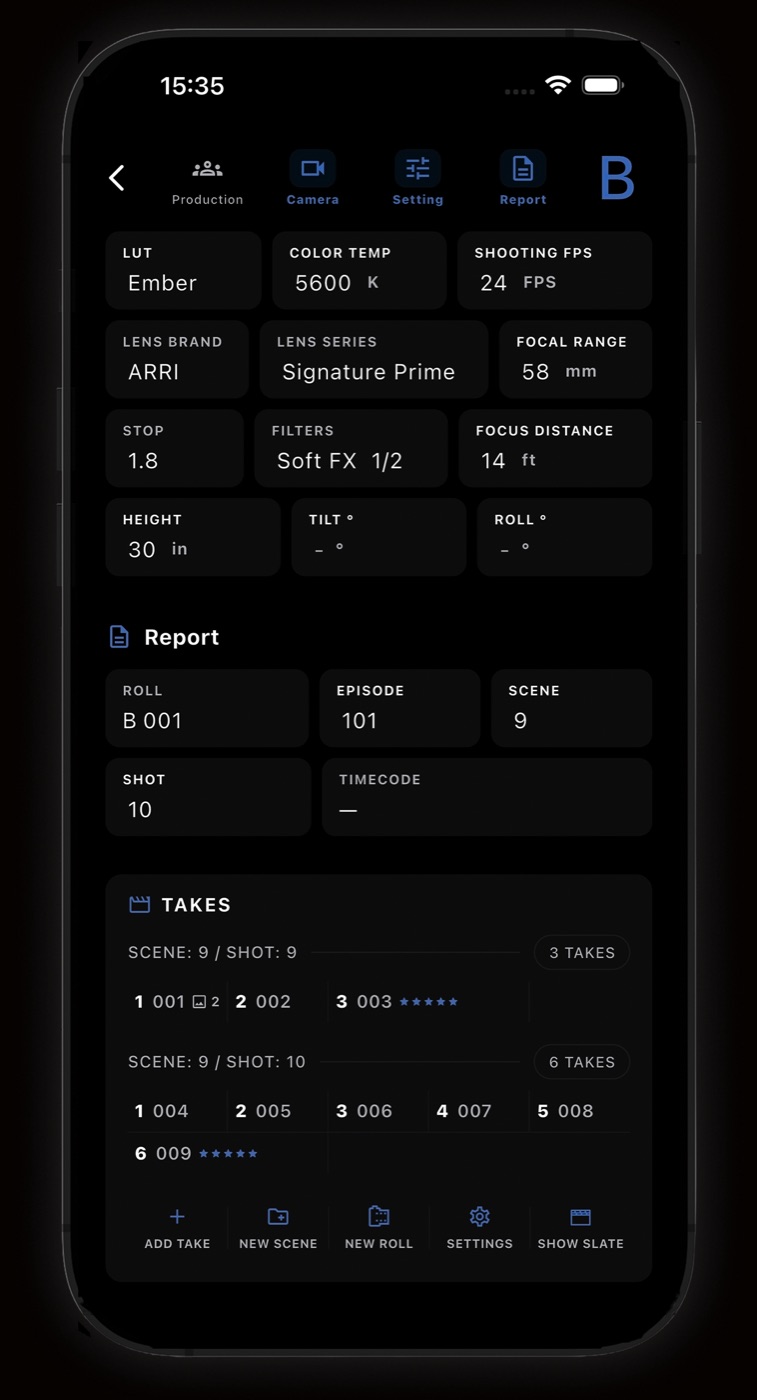
Log takes
Take and clip numbers count up for you. Takes are grouped by scene and shot, so a new setup is one tap.
- Camera, lens, stop, focus, filters, height, tilt and roll, description
- Rating stars and markers per take (RH, PU, FR)
- Attach reference images to any take
One take, every camera
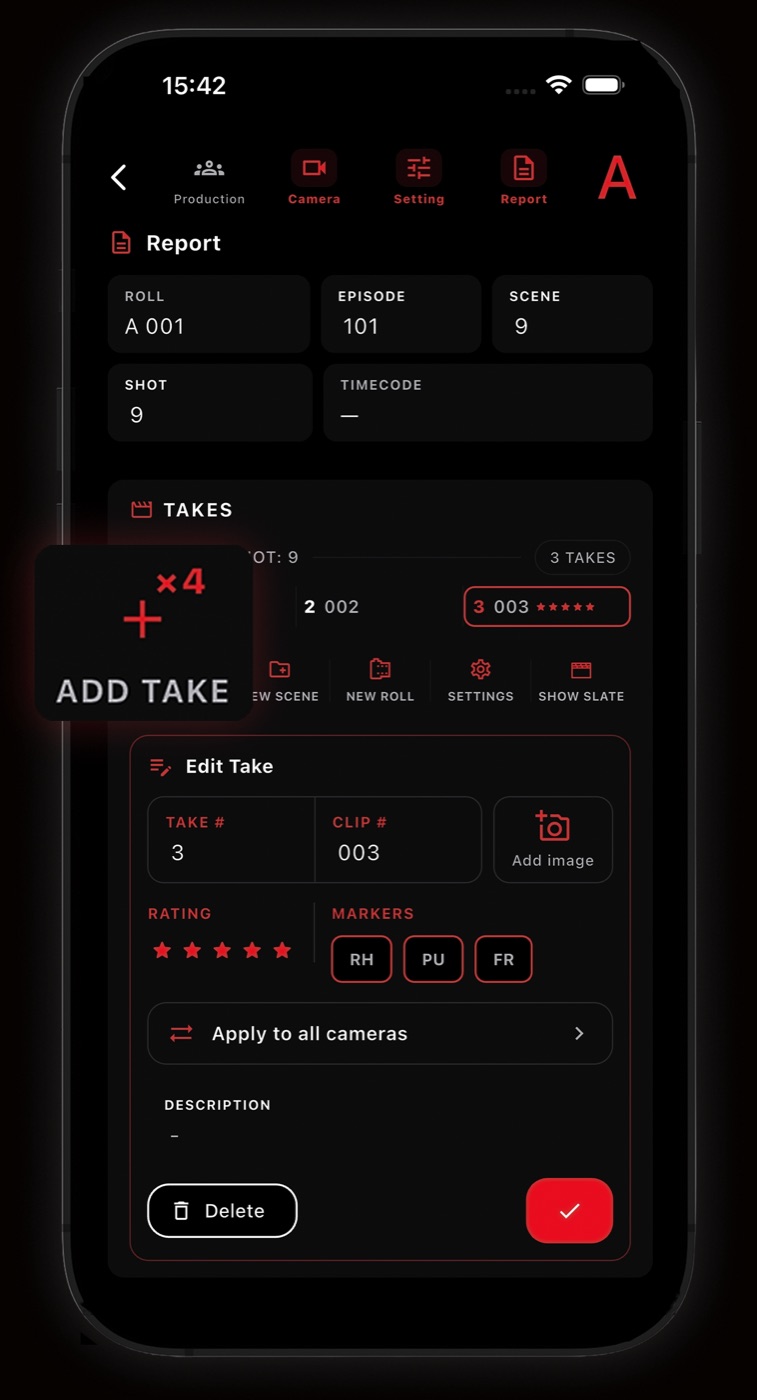
Pick the cameras rolling on a setup. Add Take then logs each take on all of them at once, so A, B, C and D stay in sync.
- Multi-camera Add Take across the cameras you pick
- Apply take edits to all cameras
- Matching take numbers on every roll
Digital slate
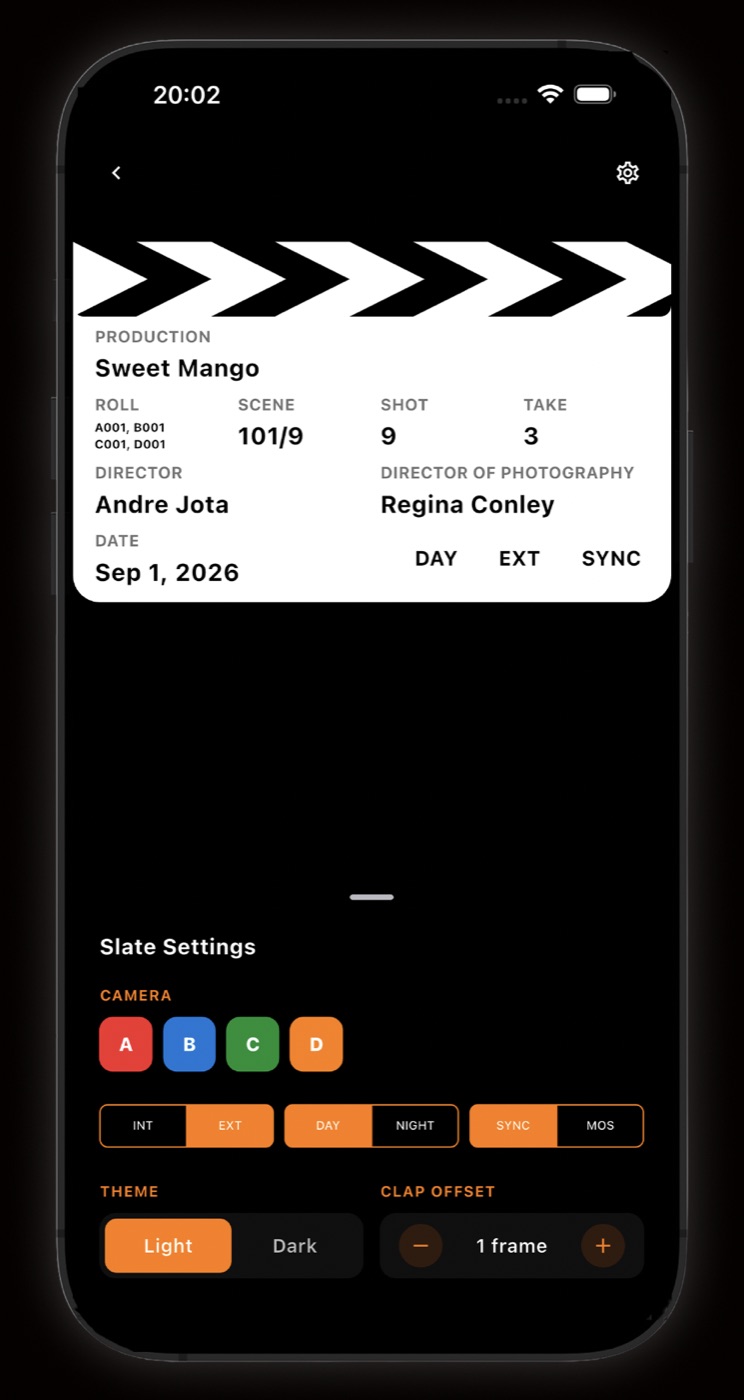
A full-screen clapperboard filled in from the last take you logged. Nothing to type twice.
- Production, roll, scene, shot, take, director, DP and date pulled from the log
- Every rolling camera's roll on one slate
- Tap to clap: sound, haptic and a visual sync mark
- Clap offset adjustable in frames
- INT/EXT, DAY/NIGHT, SYNC/MOS and light or dark theme
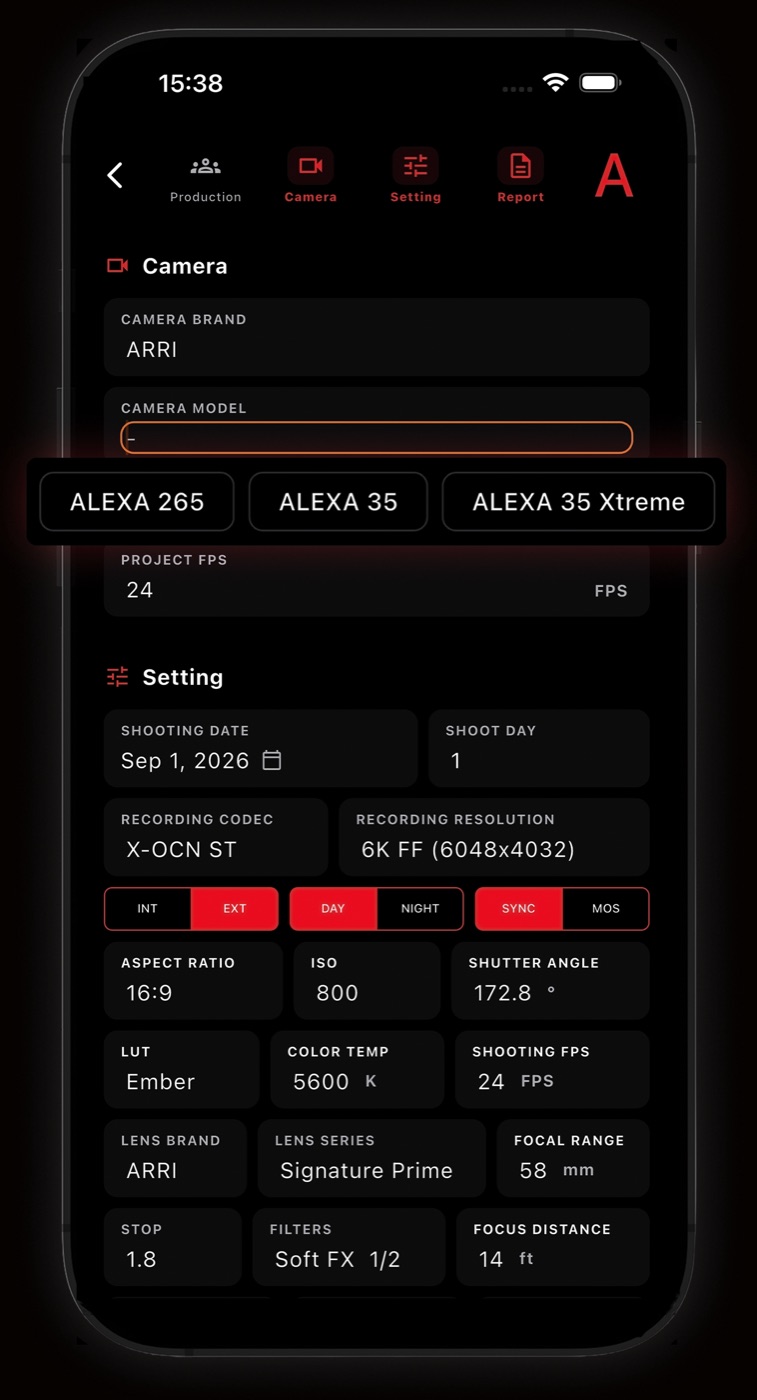
Camera and lens names built in
Start typing and pick from real model names instead of typing them out. Any custom name is still accepted.
- Cinema cameras from ARRI, RED, Sony, Canon, Blackmagic Design and more
- 240+ lens series from 26 brands, including Cooke, ZEISS and Angénieux
- Suggestions learn from values you have entered before
- Codec and resolution presets per camera
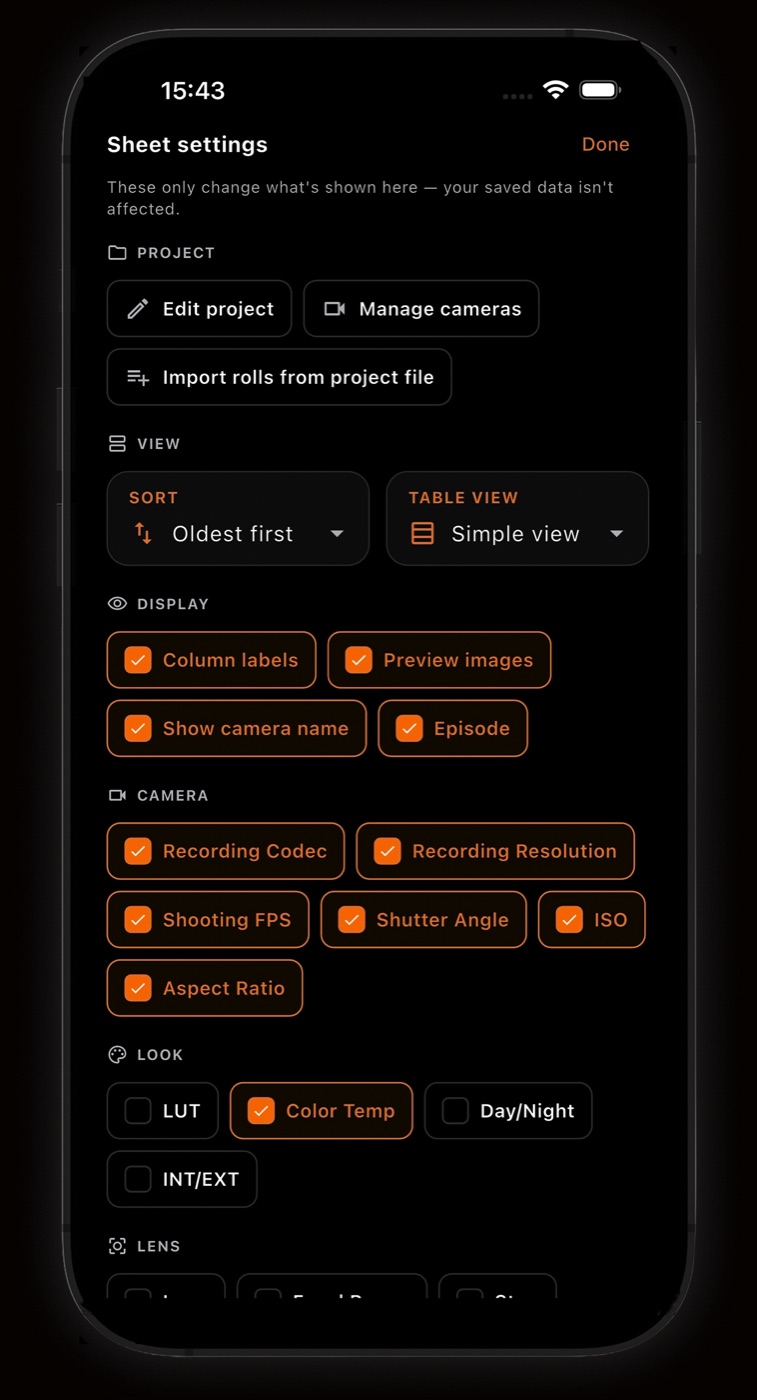
Show only what you need
Choose which columns and details the sheet displays. Display settings never change your saved data.
- Toggle codec, resolution, FPS, shutter, ISO, aspect, LUT, color temp and more
- Simple or detailed table view
- Sort oldest or newest first
- Import rolls from another project file
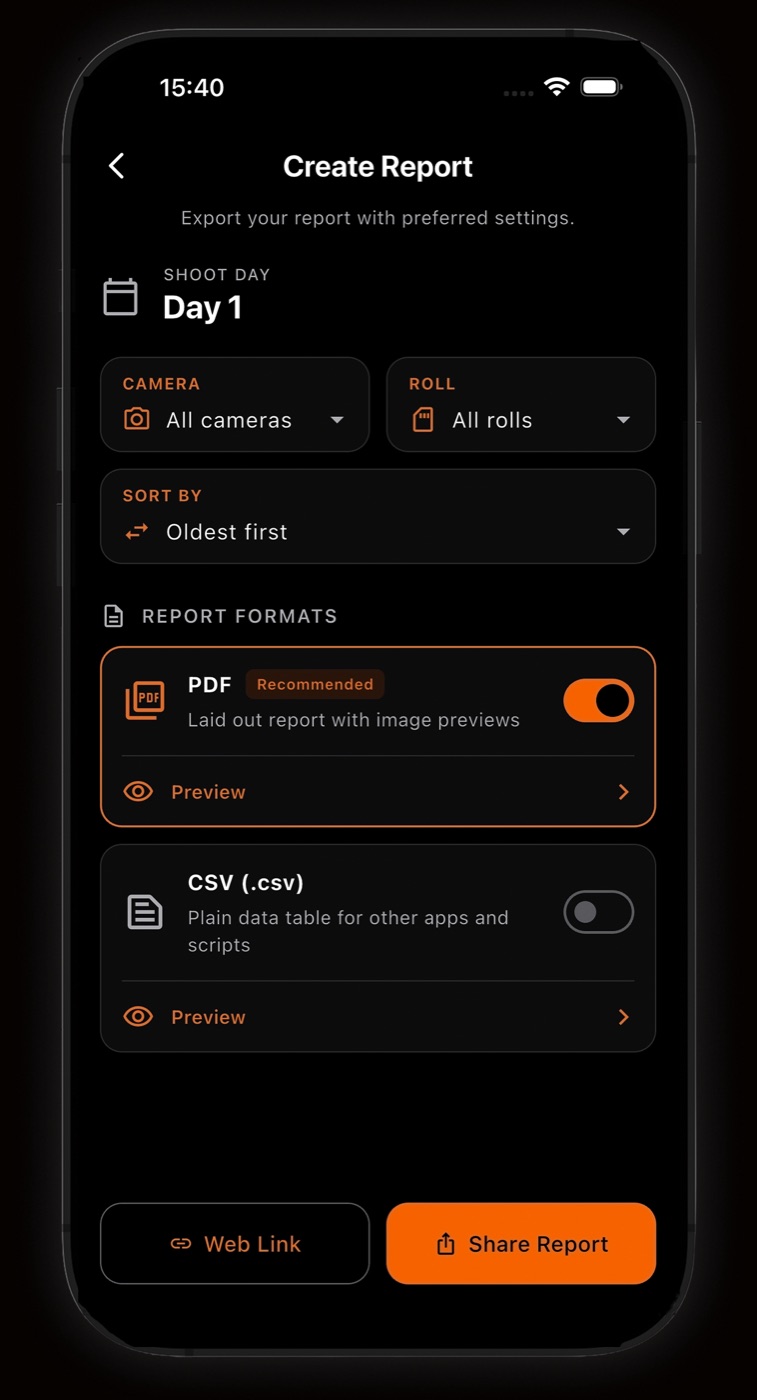
Export exactly what you need
Build a report for one shoot day, one camera or one roll. Switch on the formats you want and share them together.
- Filter by camera and roll, choose sort order
- PDF for reading, CSV for other apps and scripts
- Preview each format before sending
- PDF and CSV share the same column order
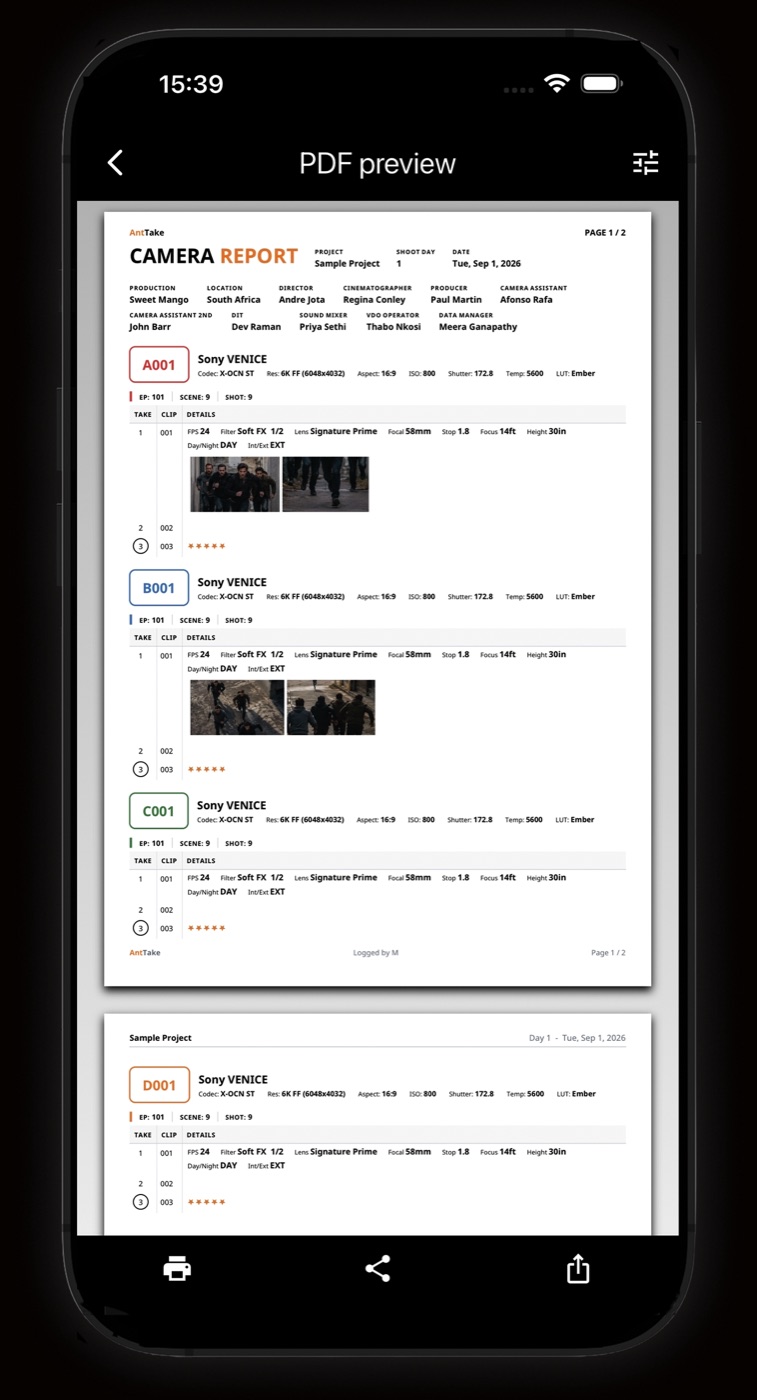
PDF camera reports
A laid-out, paginated camera report generated from your log. Settings update the preview live.
- Production, location and crew in the header
- Camera settings per roll, lens and exposure per take
- Reference image thumbnails next to each take
- Theme and orientation options, print or share
End-to-end encrypted web links
Share a link that opens the report in any browser, with no app needed. The report is encrypted on your phone before upload, and the server stores data it cannot read.
- AES-256-GCM with a unique key per link
- Key lives only in the link's # fragment and is never sent to the server
- Optional PIN, sent separately from the link